Find the right line
Search the catalogue and keep the chosen product attached to the sale.
 OperiQ
Roofing merchant software
Connect fast counter decisions with stock attention, trade accounts and collection or delivery.
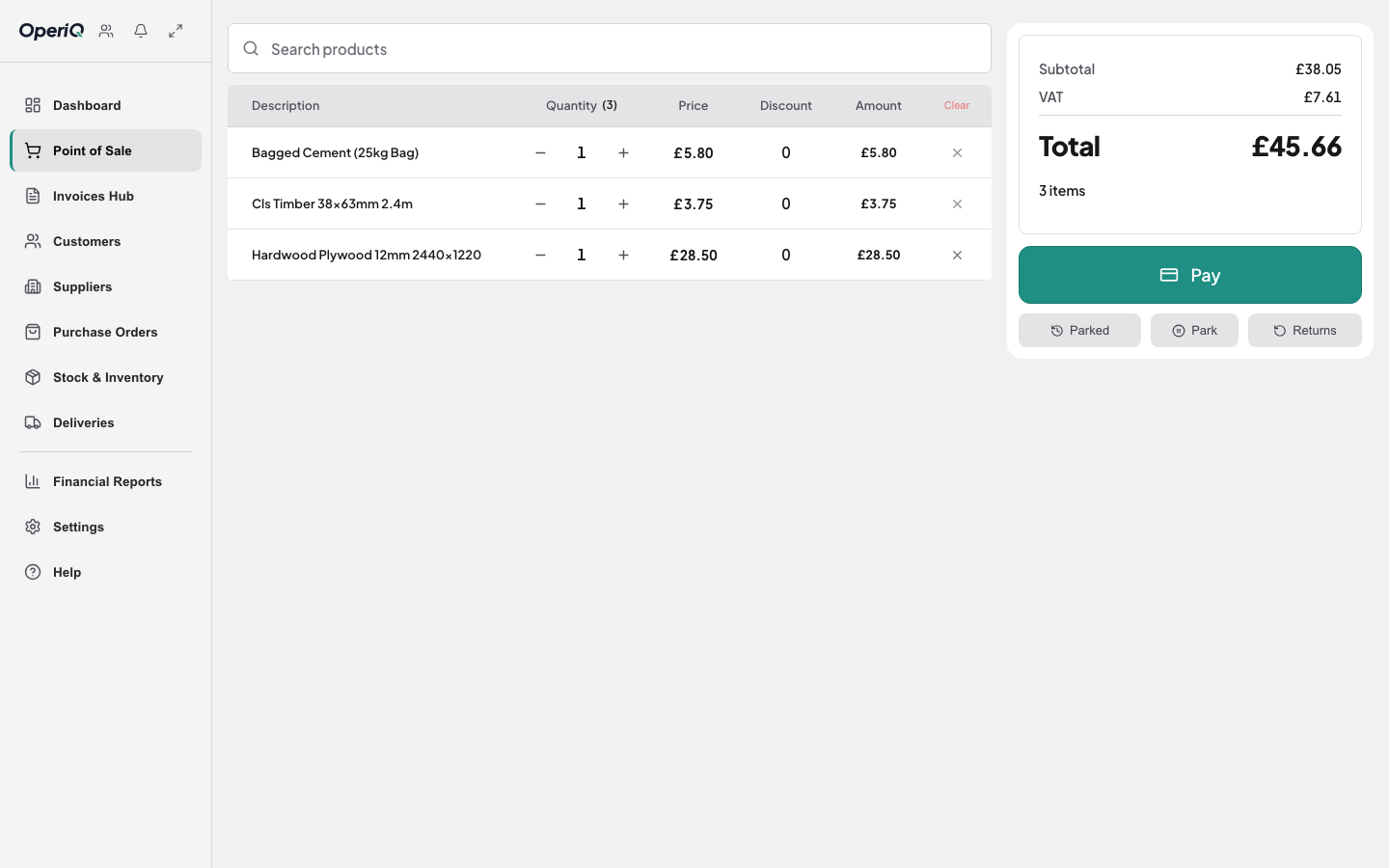
The working day
Search the catalogue and keep the chosen product attached to the sale.
Review customer pricing, account position and the effect of the order before confirming it.
Carry collection or delivery information from the counter into the next task.
Connected merchant work
OperiQ connects the core record without turning the page into a generic feature list.
Build the sale around the customer, products, quantities and agreed fulfilment route.
Review the stock position and move genuine shortages into the purchasing workflow.
Keep the invoice and account position linked back to the original order.
Retain the right lines, quantities, address and notes through fulfilment.
One commercial record
The order begins with a customer, products, quantities and a price. Stock, purchasing, account and fulfilment decisions should add to that record rather than recreate it elsewhere.
OperiQ Merchant is designed around those connected workflows. The demonstration uses fictional data so a team can test the working day without sharing real customer records.
Read the merchant stock control guide →See the fit
We will show where OperiQ supports the workflow and be clear about anything it does not cover.